

CS2 Pick/Ban Overlay for Live Map Vetoes
The veto is the first dramatic beat of a CS2 match — show it properly. CutROOM renders bans, picks and the decider as themed map cards, live, as the veto unfolds.
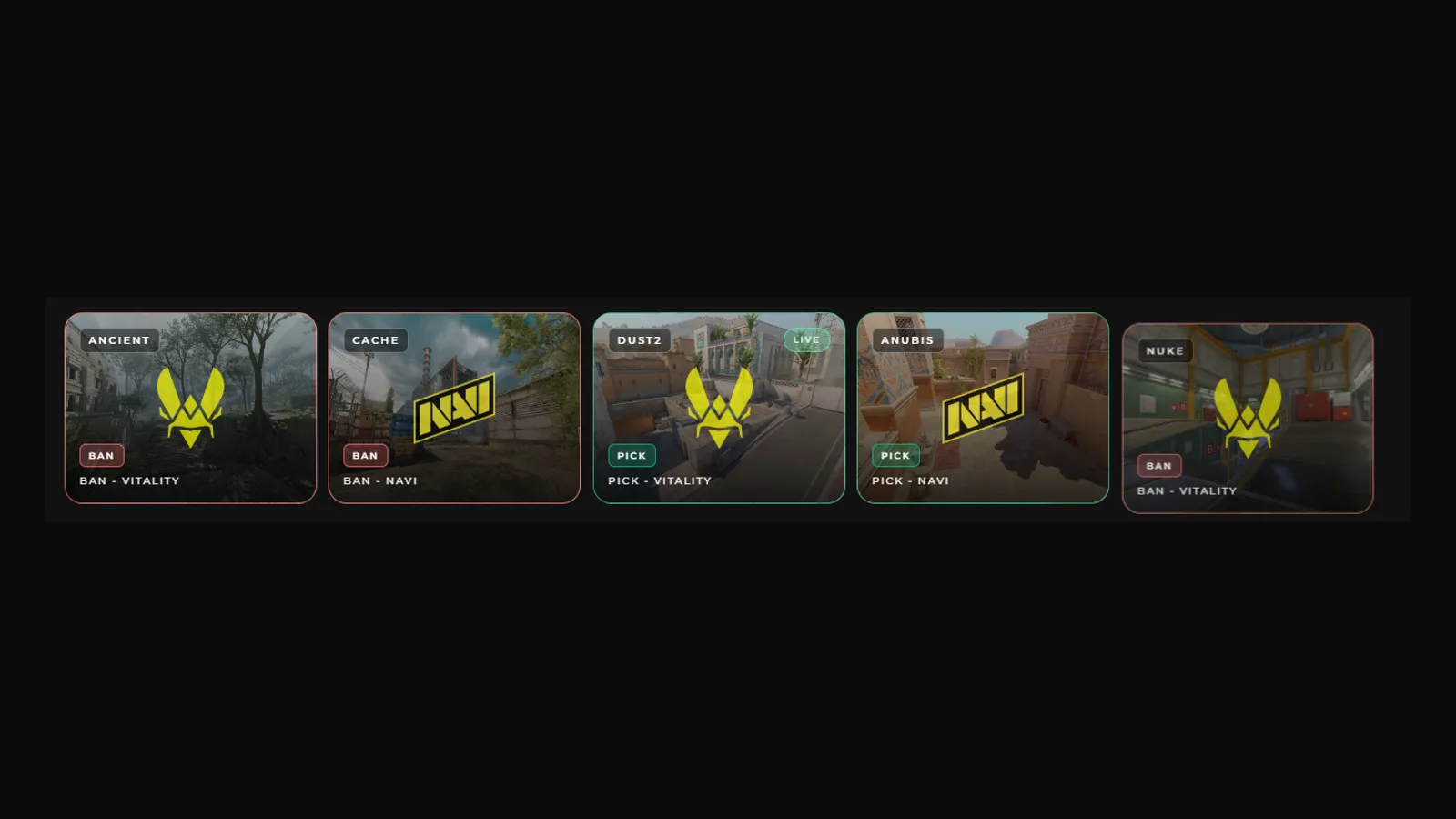
What the Pick/Ban Overlay Shows
Each map in the pool appears as a card with the map screenshot, the acting team's logo and a clear BAN or PICK badge — red for bans, green for picks — plus a LIVE marker on the map currently being played. Viewers follow the veto at a glance, and the scene doubles as a recap between maps of a series.
Driven by Your Match Data
Set the veto mode and order on the match in CutROOM (classic ban/ban/pick/pick flows, BO1, BO3 or BO5), then record each step from the Go Live console as it happens on stage. The overlay updates instantly — no scene rebuilds, no manual graphics work between steps.
One Browser Source in OBS
Like every CutROOM scene, the pick/ban overlay is a transparent browser source: add its URL to OBS once, and switch to it from the Go Live console whenever the veto starts. It inherits your active theme automatically — colors, fonts and logos match the rest of your show.
Part of a Complete Tournament Show
The veto scene is one of ten scenes in CutROOM — intro, teams, talents, sponsors, intermission, bracket, tournament schedule, victory and the live HUD complete the set. See the CS2 tournament software overview for the full event workflow, or get started at €9.99/month.
Ready to broadcast CS2 like a pro?
Join the tournament organizers and casters who run CutROOM every day.